“Did fryer 3 actually get done?”
A verbal handoff leaves you chasing an answer.
For restaurant kitchen leaders
See what was completed, what needs attention, and where follow-up is required, without relying on paper logs or memory.
$15 one-time setup + $20/month
Your next leadership check
Check after the expected completion window. Use status and history to decide where to follow up.
See what a kitchen leader says ↓From a kitchen leader
“It’s a very simple and easy app to use. It has helped keep us on track with what the store needs and if they are getting done in a timely fashion.”
The operational gap
A paper log can hold a record. A busy leader still has to find it, check it, and work out what needs attention.
A verbal handoff leaves you chasing an answer.
Memory leaves gaps between shifts.
You need a clear place to start your check.
A repeatable operating process
OpsTrack supports the routine. Your leaders own the expectations and follow-up.
Leadership
Decide when each fryer should be boiled out. Configure Needed and Overdue day intervals by fryer type in OpsTrack.
Team
Check fryer status, see what needs attention, and perform the boil-out.
Team
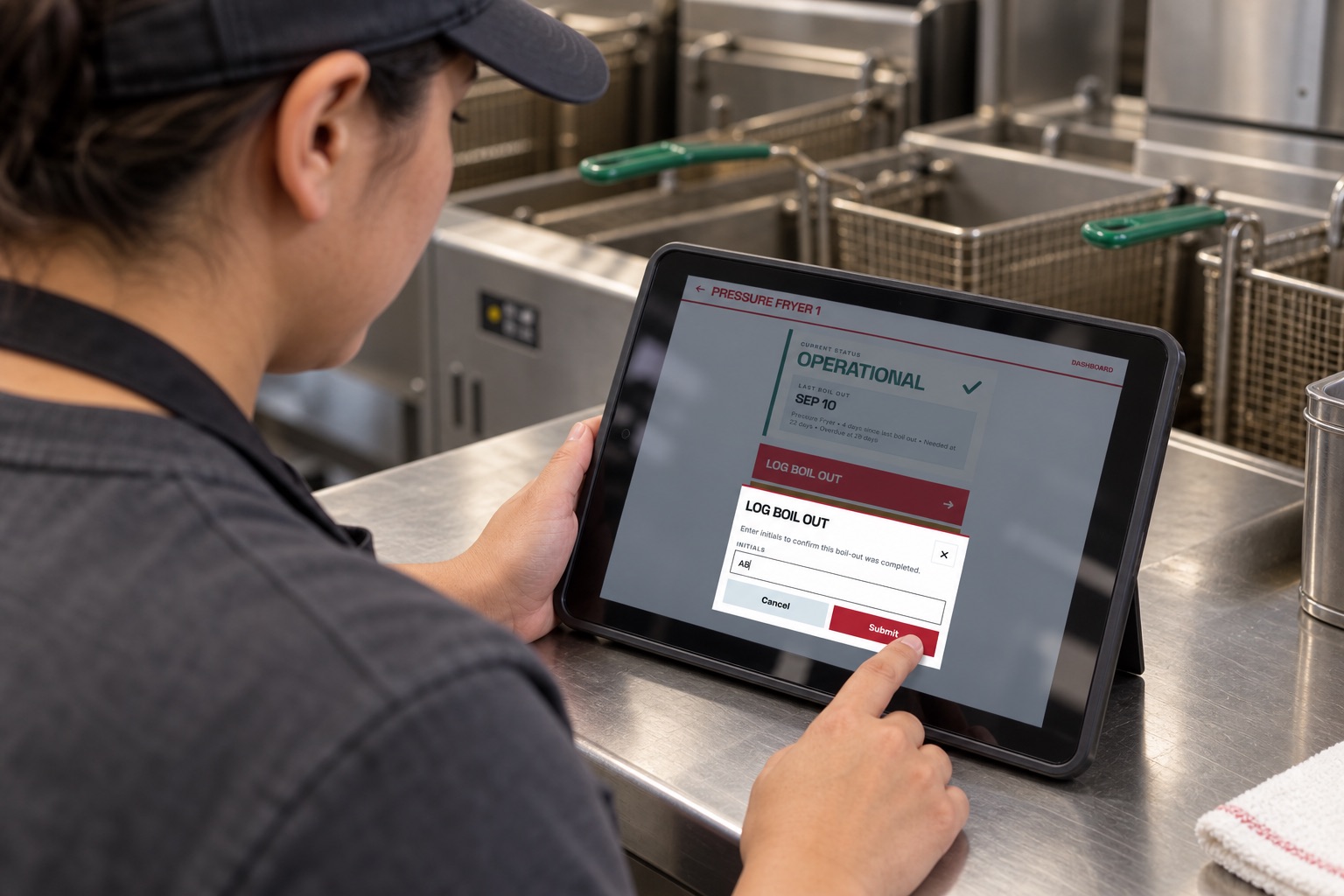
Open the fryer, enter two or three initials, and submit the completed boil-out.
Leadership
After the expected completion window, check status and completion history in OpsTrack.
Leadership
Use Needed and Overdue statuses to focus the conversation. Resolve missed work or missing logs with the team.
Shift expectations are set by leadership. OpsTrack calculates status from day intervals and manual Needed flags; it does not schedule a shift or verify physical cleaning.
From completed work to clear follow-up
A simple routine for the team. A clear picture for the leader checking after the expected completion window.
01 · Make logging easy
Open the fryer, enter two or three initials, and submit. No employee account to create and no long form to complete.
The next shift has a record to check instead of a verbal handoff to remember.
02 · Know where to check
Check the dashboard after the expected completion window. Filter OK, Needed, or Overdue, then open a fryer to review its recorded history.
Start the follow-up with a specific fryer and its record, rather than a round of “Did it get done?”
Inspect the actual dashboard screenshot ↗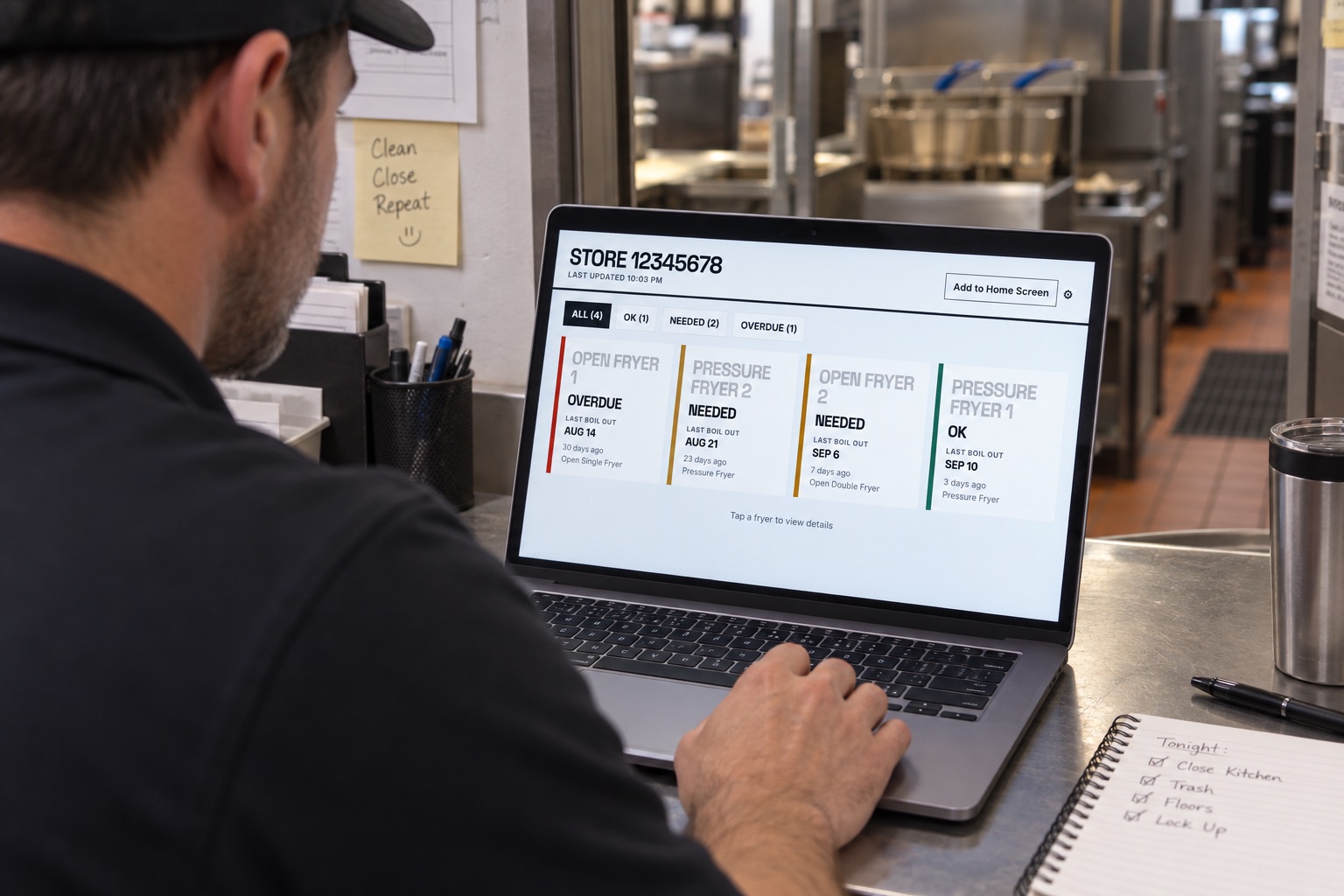
03 · Bring attention back to the work
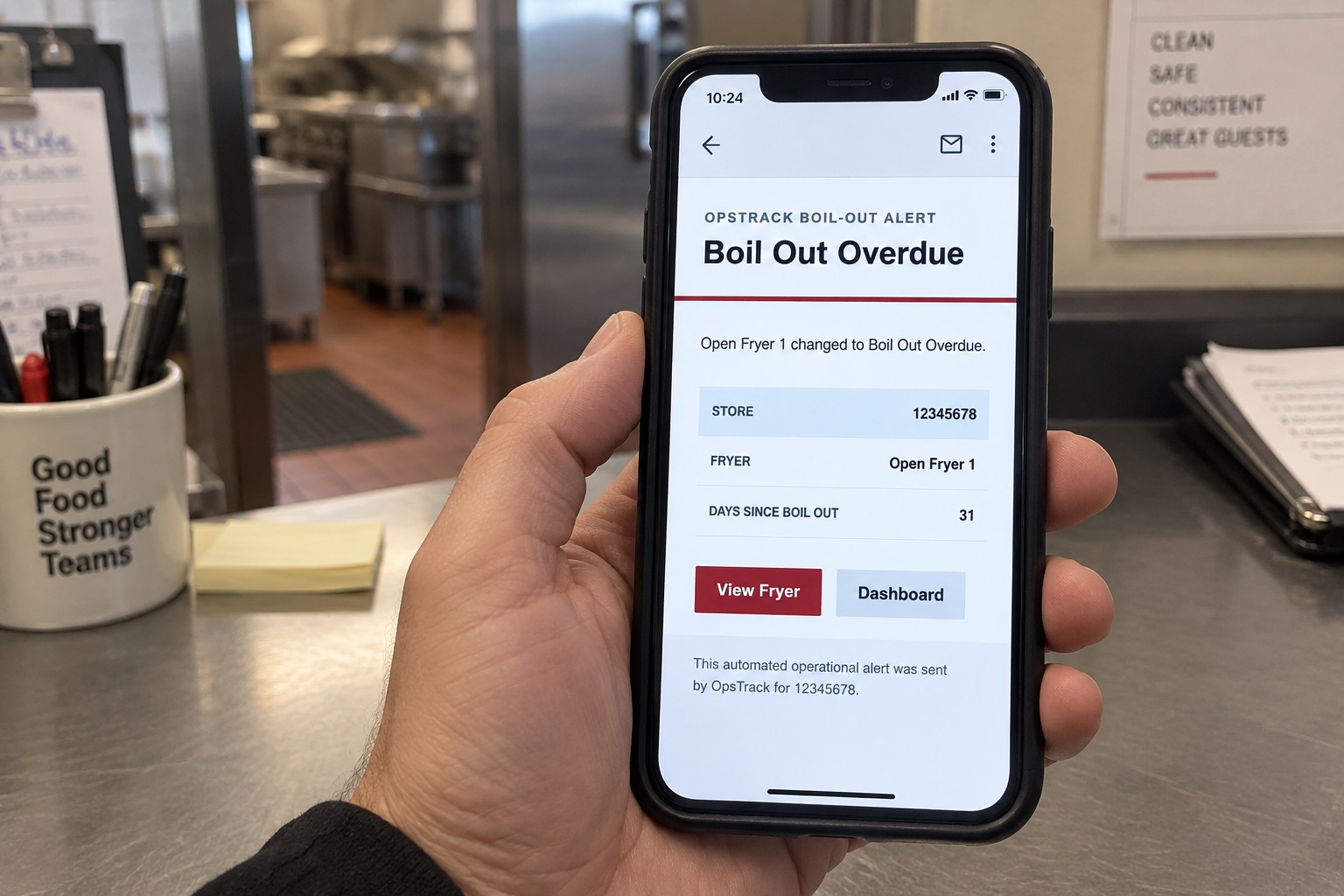
An overdue email identifies the fryer and the days since its last recorded boil-out. Open the fryer or dashboard to see what needs follow-up.
The alert points to the work. Your leader decides what happens next.
Email alerts require your store’s email feature to be enabled and eligible recipients configured. They support your regular leadership check.
Visibility makes accountability easier
OpsTrack won’t make your team accountable. It makes it obvious where accountability is needed.
Your managers still set expectations and follow up. OpsTrack removes the guesswork about what was logged and which fryers need attention.
A completion log is a team-entered record. Leadership still verifies that the standard was met.
Built from restaurant operations
OpsTrack grew out of the founder’s restaurant boil-out routine and the limits of paper logs and memory. The focus stays practical: make the work visible so leaders know where to follow up.
The shift walkthrough
Set the expectation → complete the boil-out → log it → verify the record → follow up where needed.
The short walkthrough is not available yet. Explore the demo to see OpsTrack today.
Explore the Demo$20/month for ongoing access, plus a one-time $15 setup fee. The monthly fee works out to about $0.67/day over a 30-day month; setup is additional.
The one-time setup fee includes activation, optional onboarding guidance, and enabling access to your store’s boil-out system.
Ongoing access to team logging, fryer status, leadership controls, email alerts, and product improvements. Email alerts depend on your store’s enabled settings and recipients.
Beta Access Program pricing is intended for early users joining while the product is still being refined. A one-time $15 setup fee applies, followed by $20 per month for ongoing access. Future pricing may change as the product matures and additional features are released.
Know where to follow up
Give the team a place to log the work. Give leadership a place to verify it.
$15 one-time setup + $20/month · Setup opens Stripe checkout.